Clearpdfs

Rotate PDF Files Instantly — 100% Free & Secure

Rotate single pages or entire PDFs directly in your browser — no uploads, no registration, and no watermark. Your files never leave your device.

BASE64 ENCODER / DECODER
Drop files here or click to upload
Supports text files, images, PDFs, etc.
No file selected
0 bytes
INPUT TEXT 0 characters
OUTPUT RESULT 0 characters
BASE64 OPERATIONS
Encode to Base64
Convert text to Base64 format
Decode Base64
Convert Base64 back to text
Encode File
Upload and encode files to Base64
Decode to File
Decode Base64 and download as file
BASE64 STATISTICS
0
Characters
Output length
33%
Size Increase
Base64 overhead
Status
Processing status
75%
Efficiency
Encoding efficiency
BASE64 ENCODER / DECODER
Drop files here or click to upload
Supports text files, images, PDFs, etc.
No file selected
0 bytes
INPUT TEXT 0 characters
OUTPUT RESULT 0 characters
BASE64 OPERATIONS
Encode to Base64
Convert text to Base64 format
Decode Base64
Convert Base64 back to text
Encode File
Upload and encode files to Base64
Decode to File
Decode Base64 and download as file
BASE64 STATISTICS
0
Characters
Output length
33%
Size Increase
Base64 overhead
Status
Processing status
75%
Efficiency
Encoding efficiency
How to Split PDFs

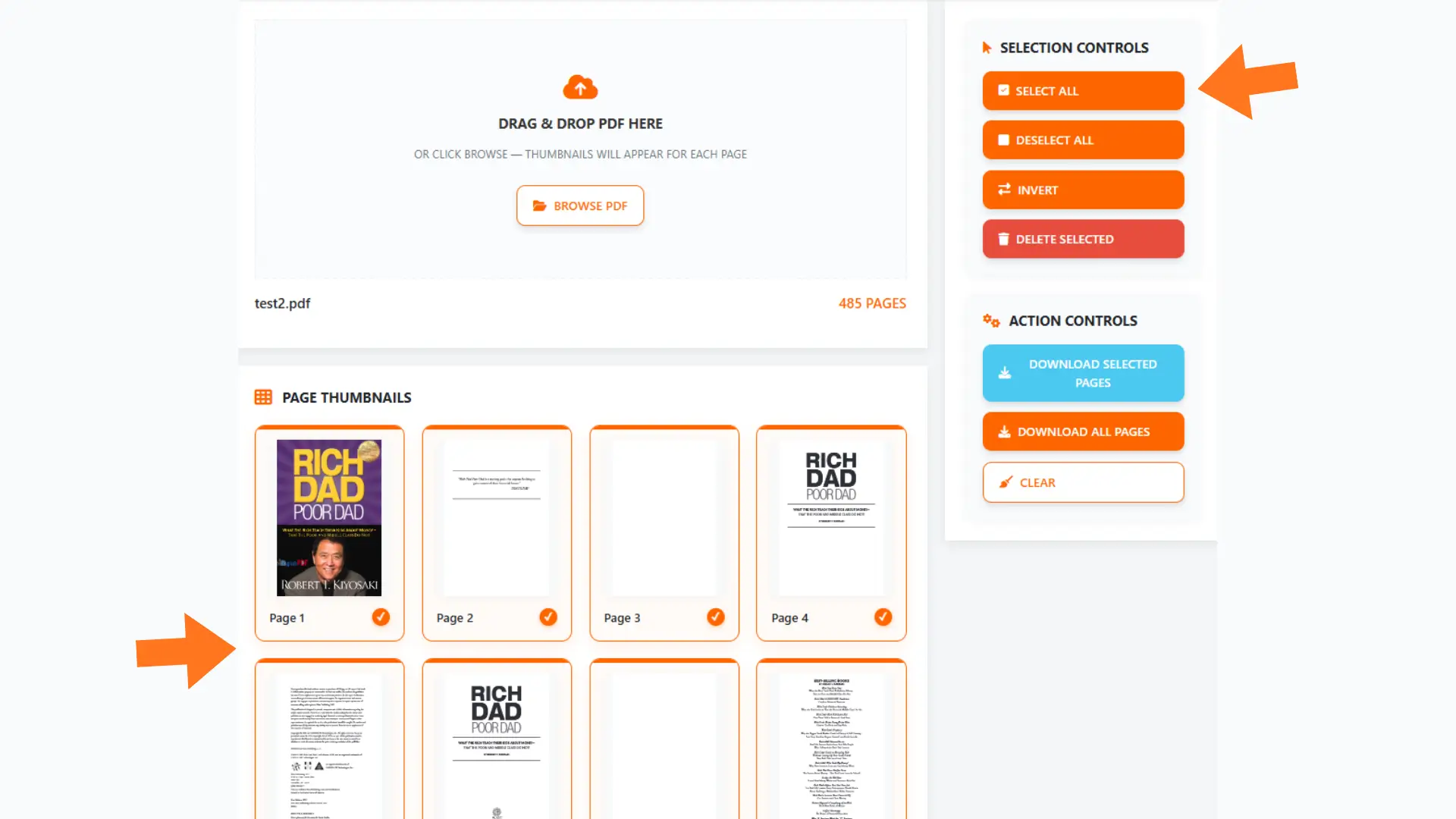
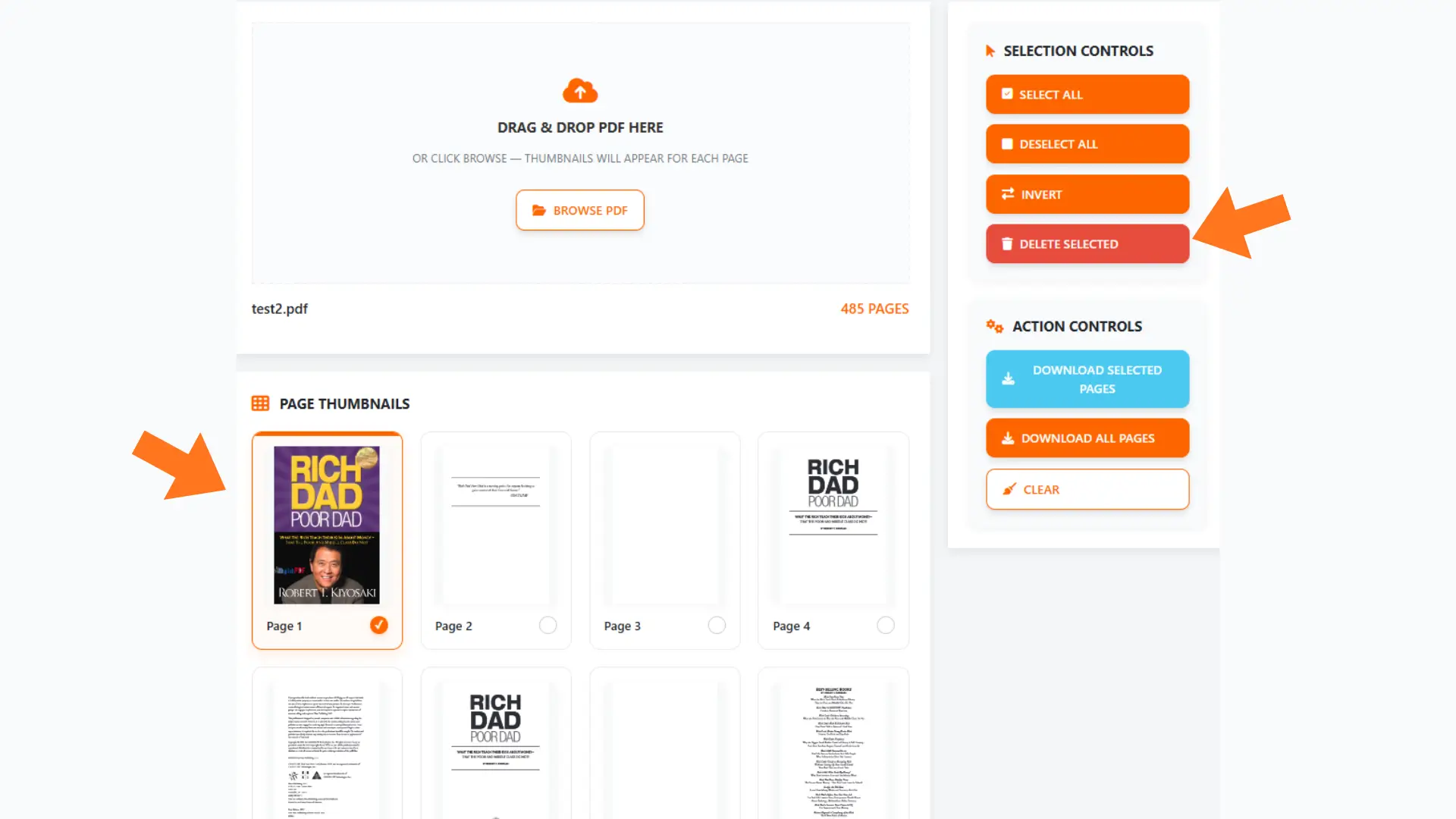
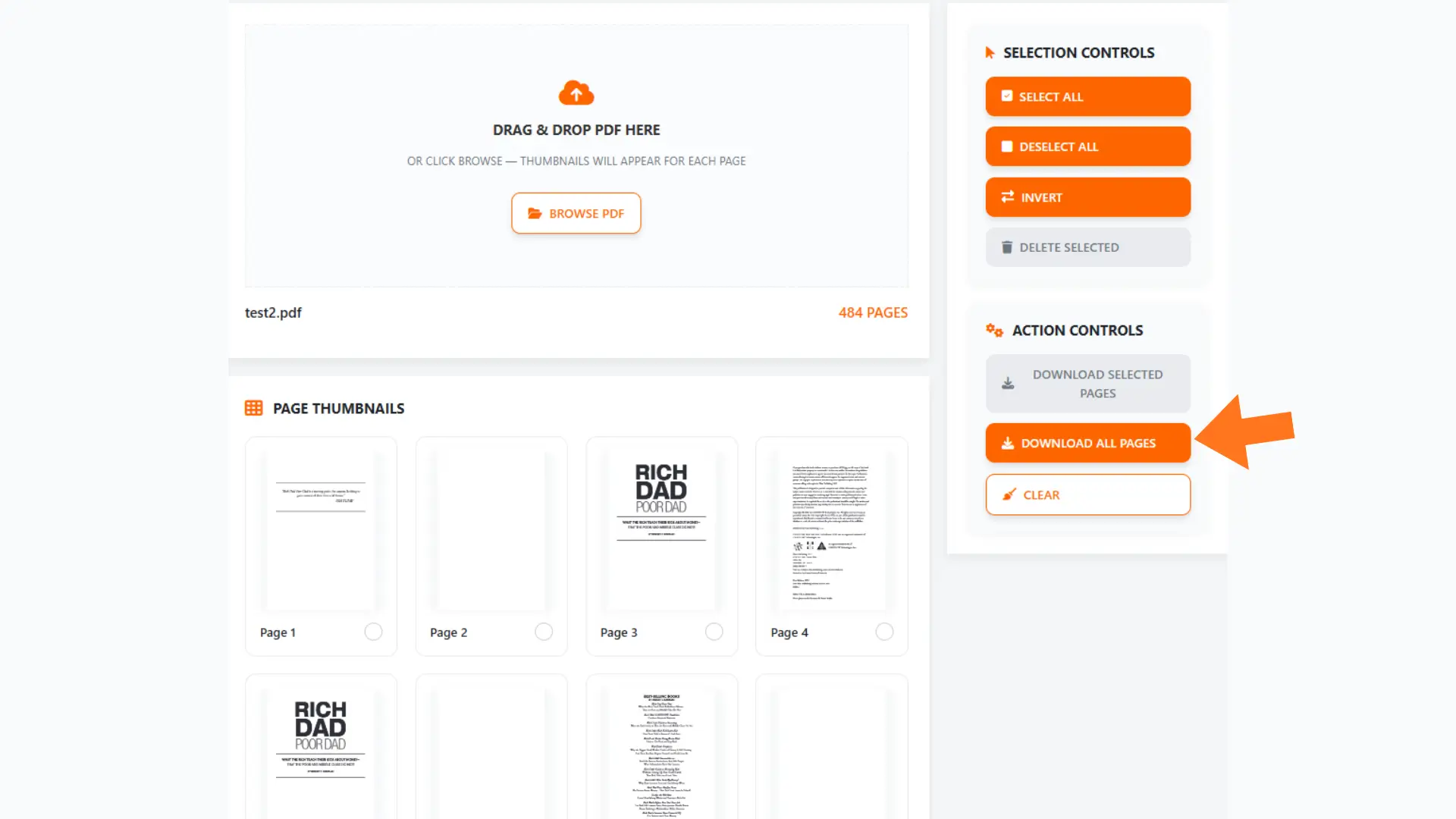
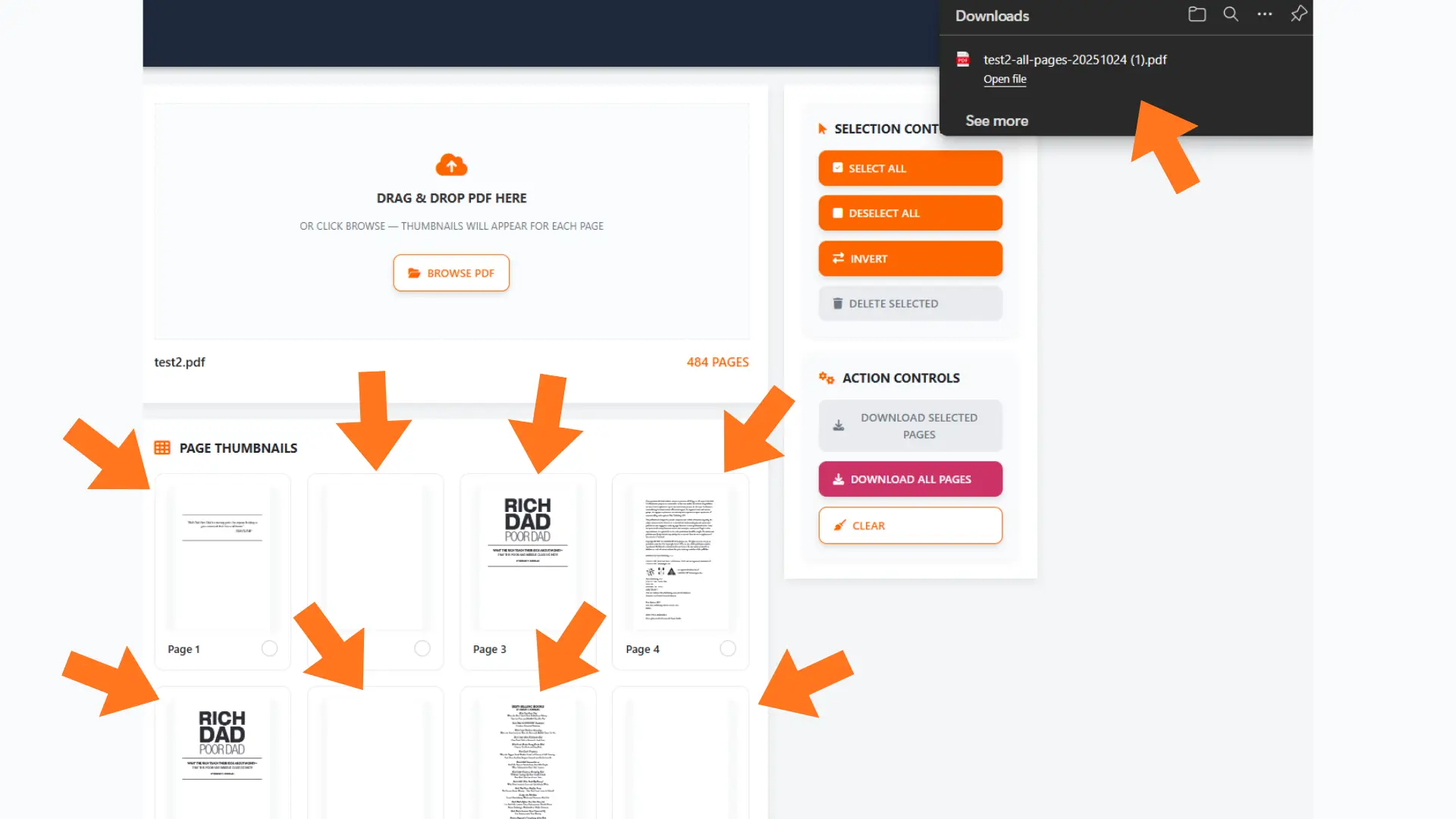
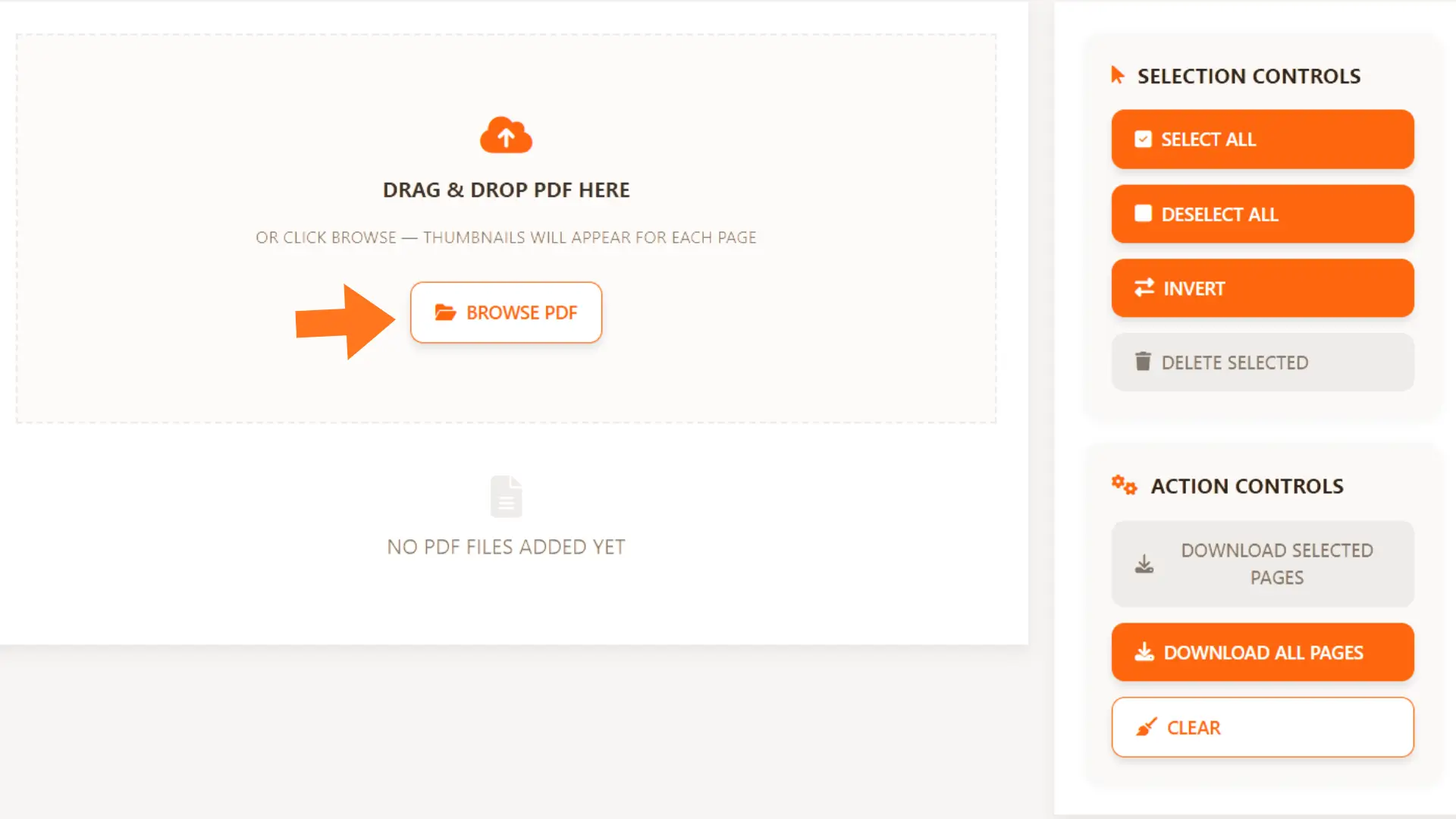
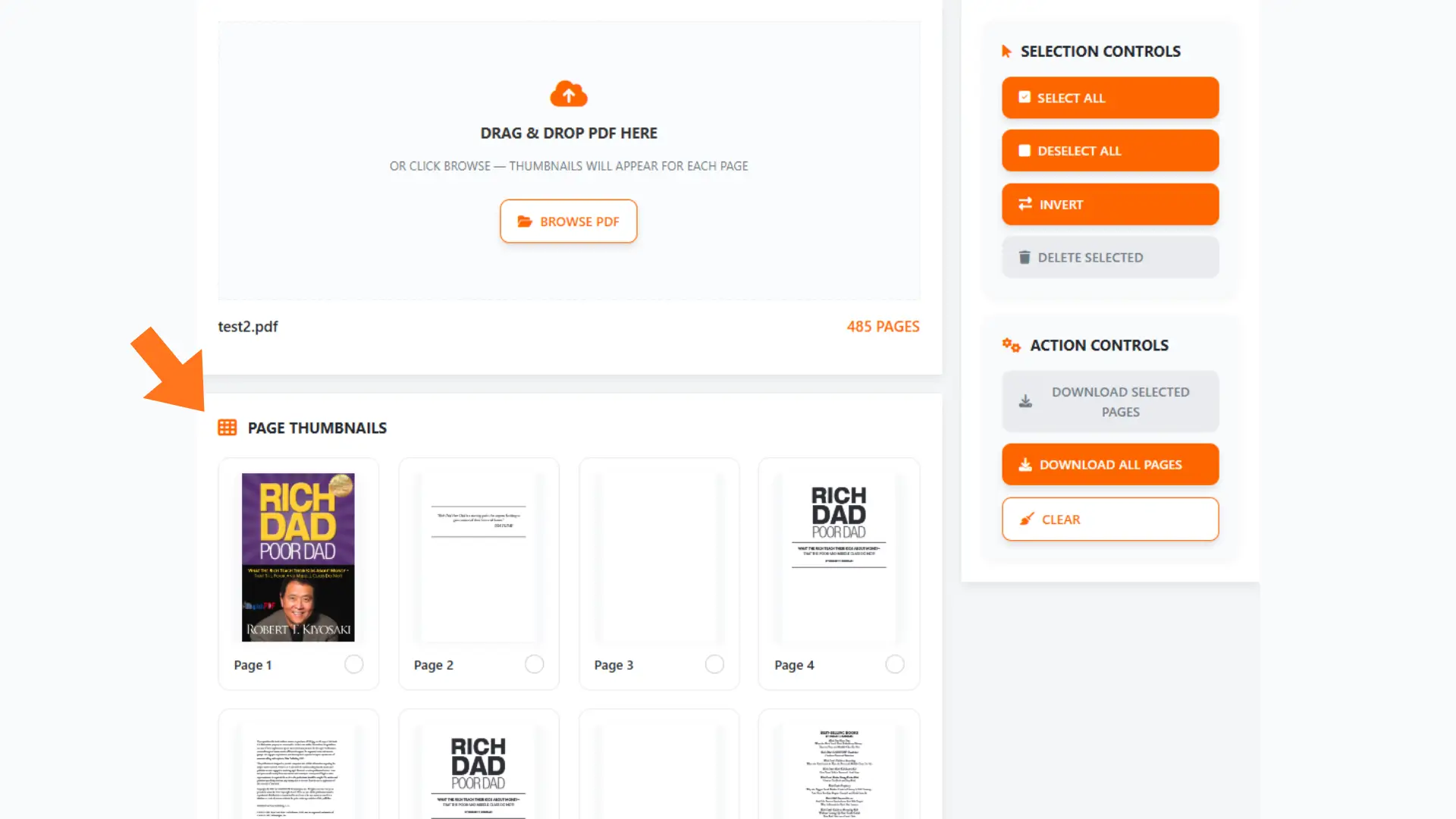
Step 1: Drag & drop your PDF into the box, or click Browse to select it from your device. Once loaded, page thumbnails will appear so you can see all pages.

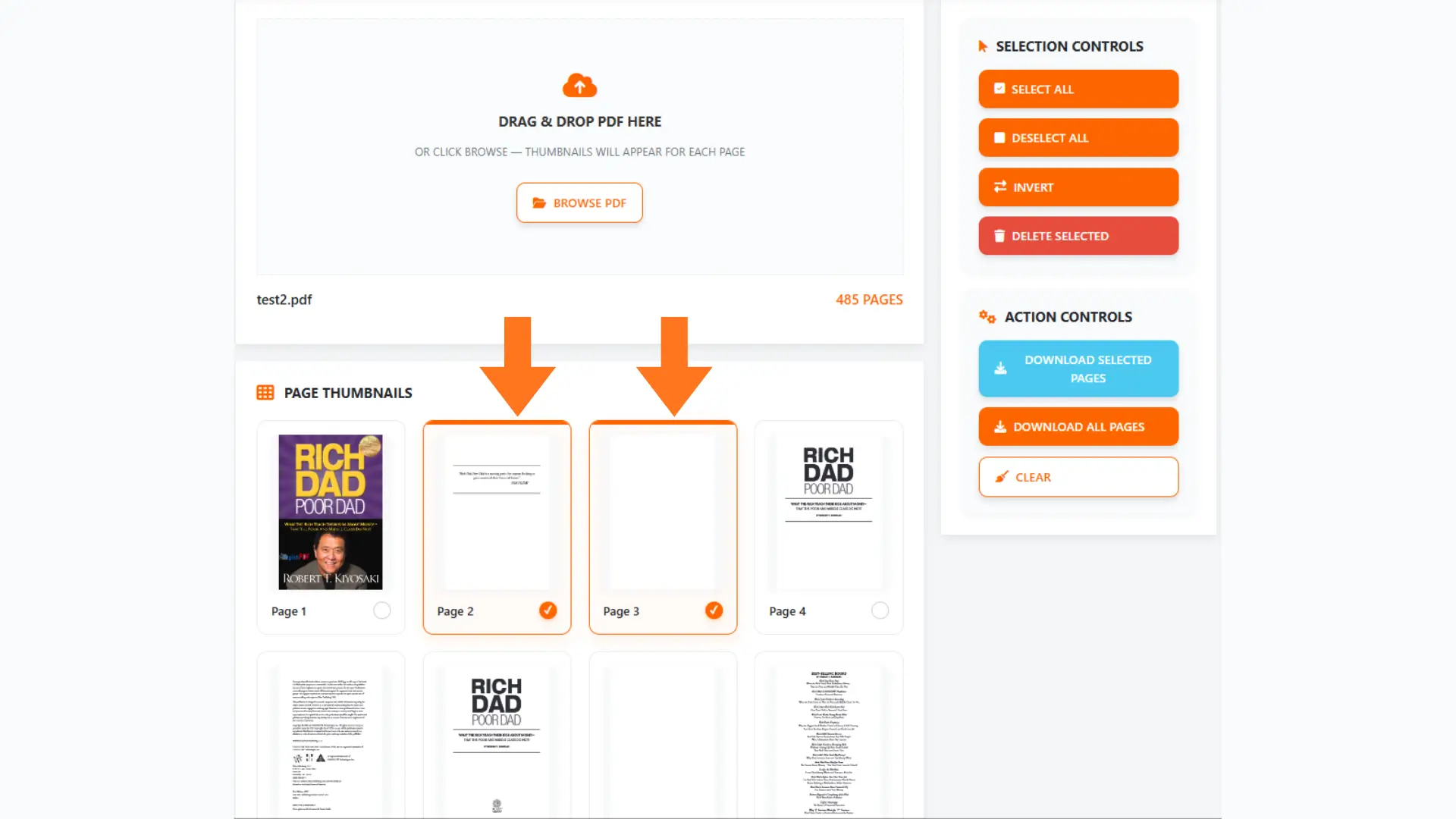
Step 2: Select the pages you want to work with

  • Select All — Select every page in your PDF.
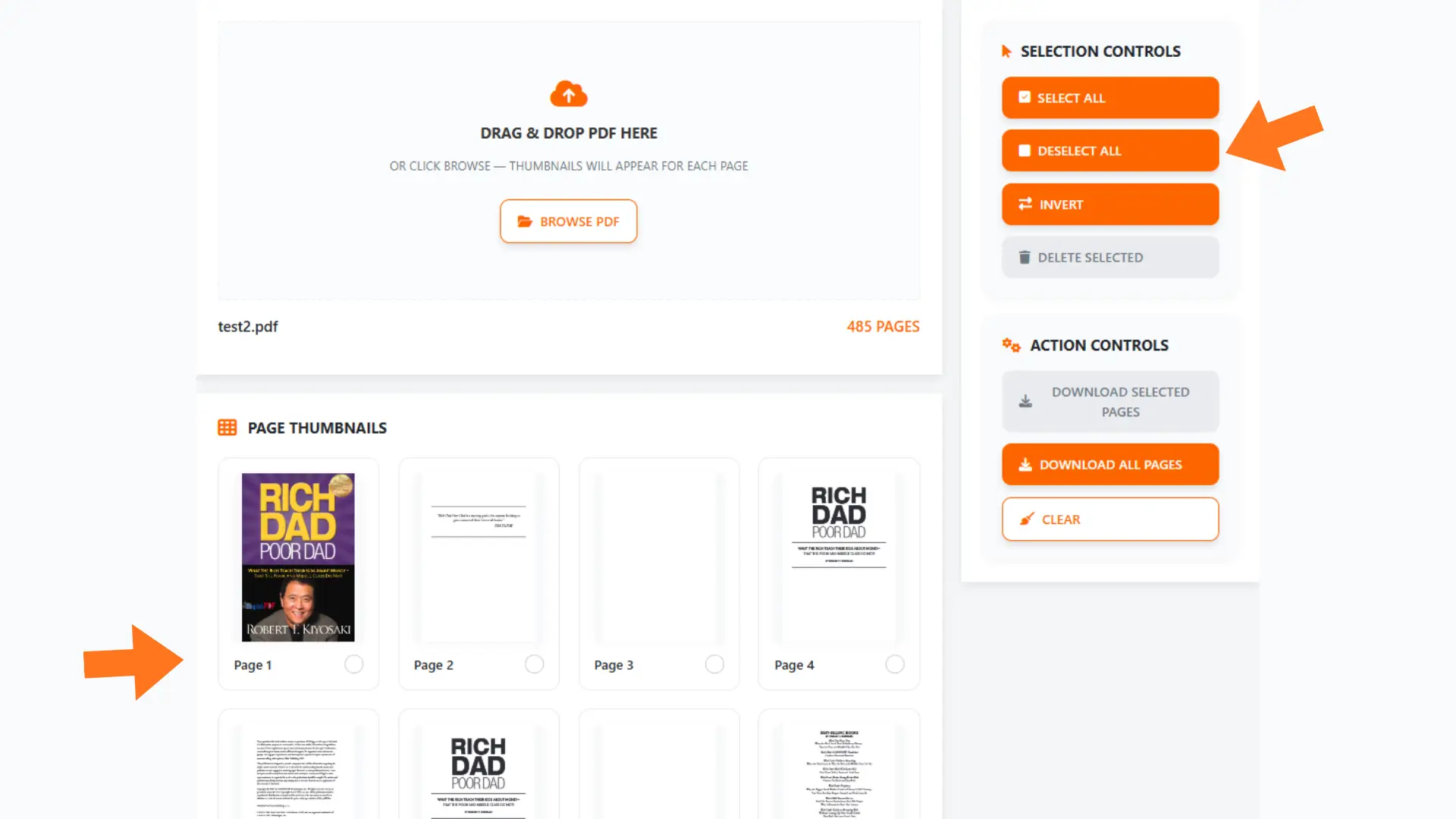
  • Deselect All — Remove all selections.
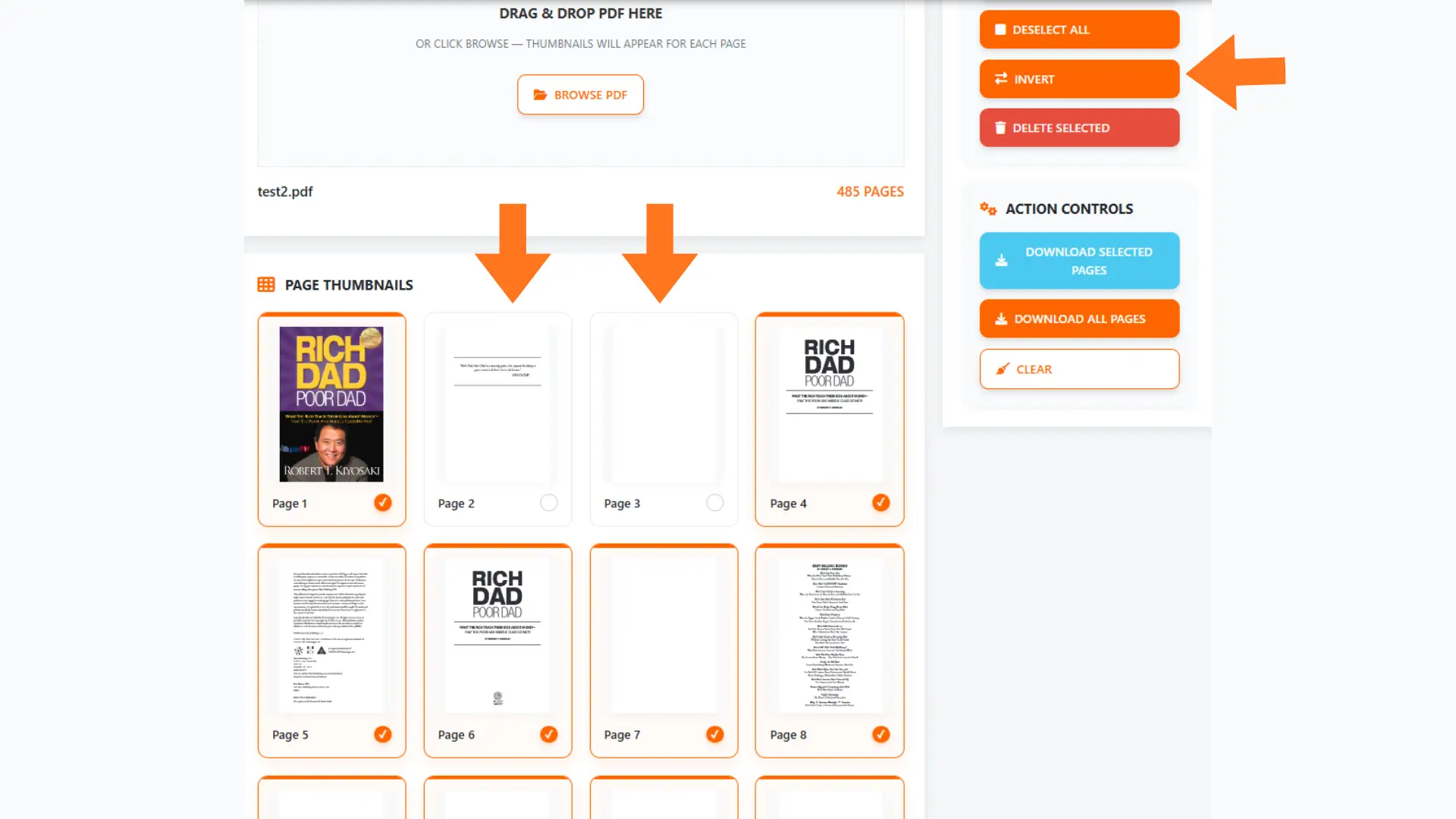
  • Invert Selection — Switch your selection: selected pages become deselected, and unselected pages become selected.
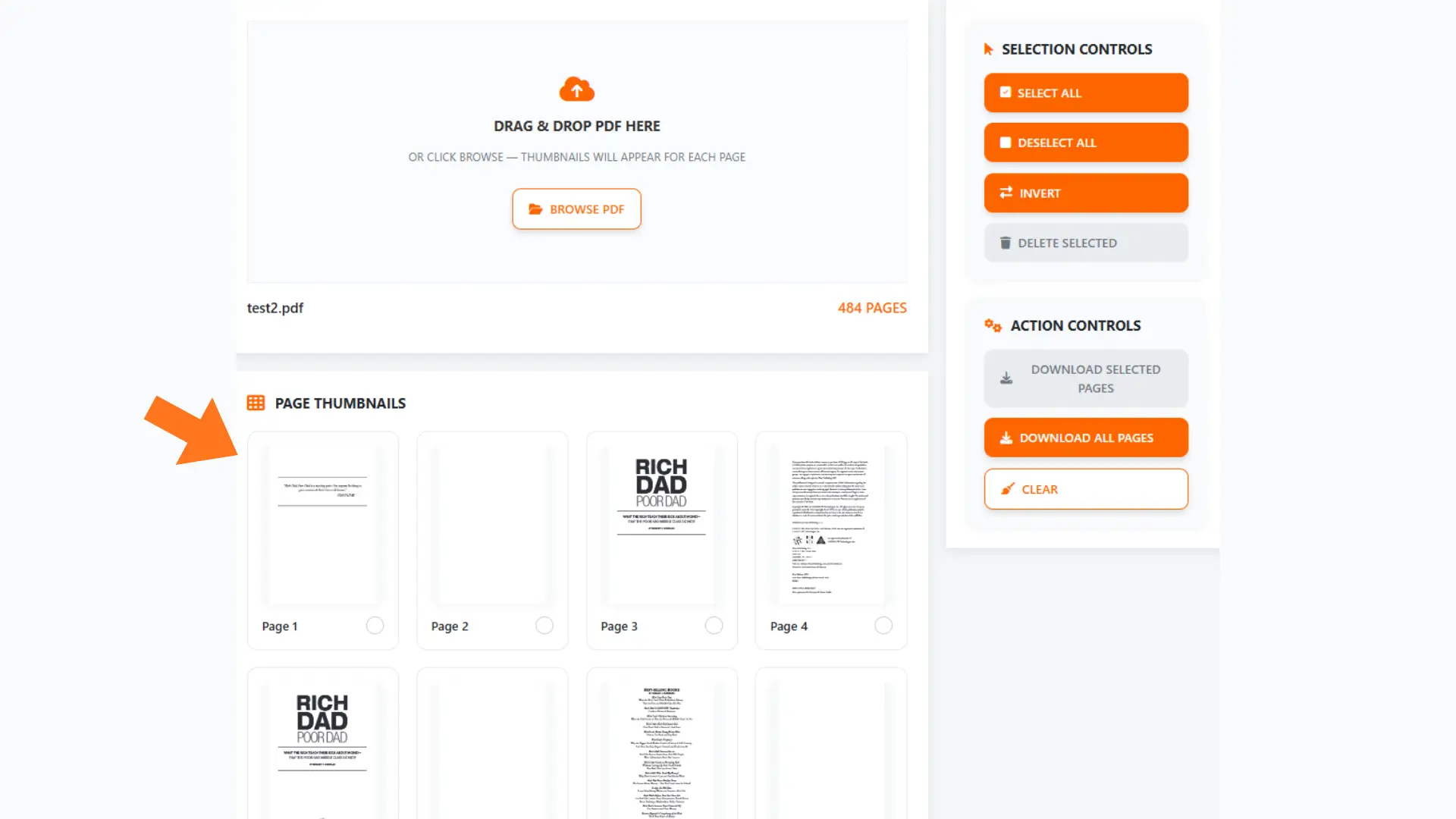
  • Delete Selected — Remove the selected pages from the PDF.
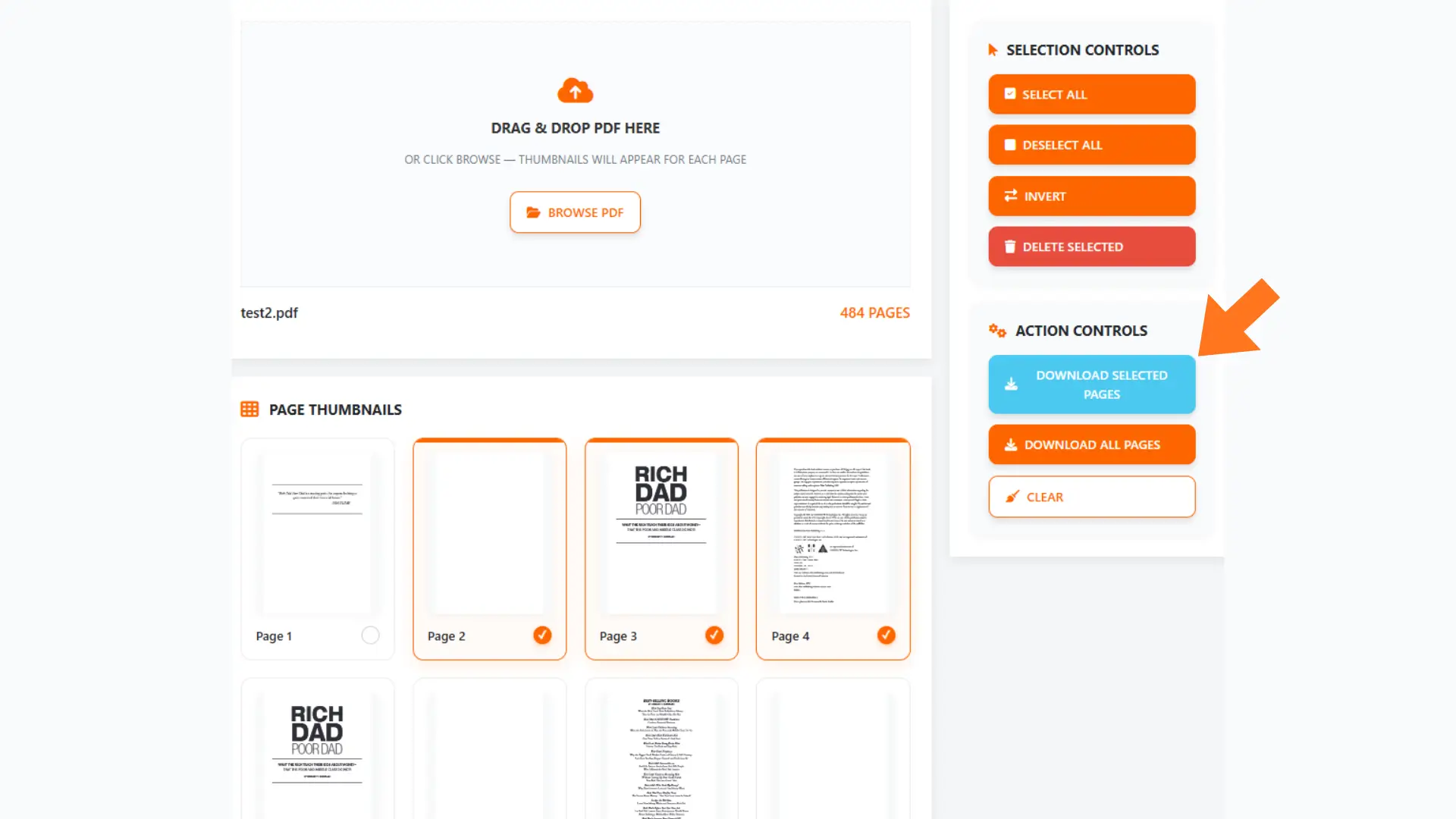
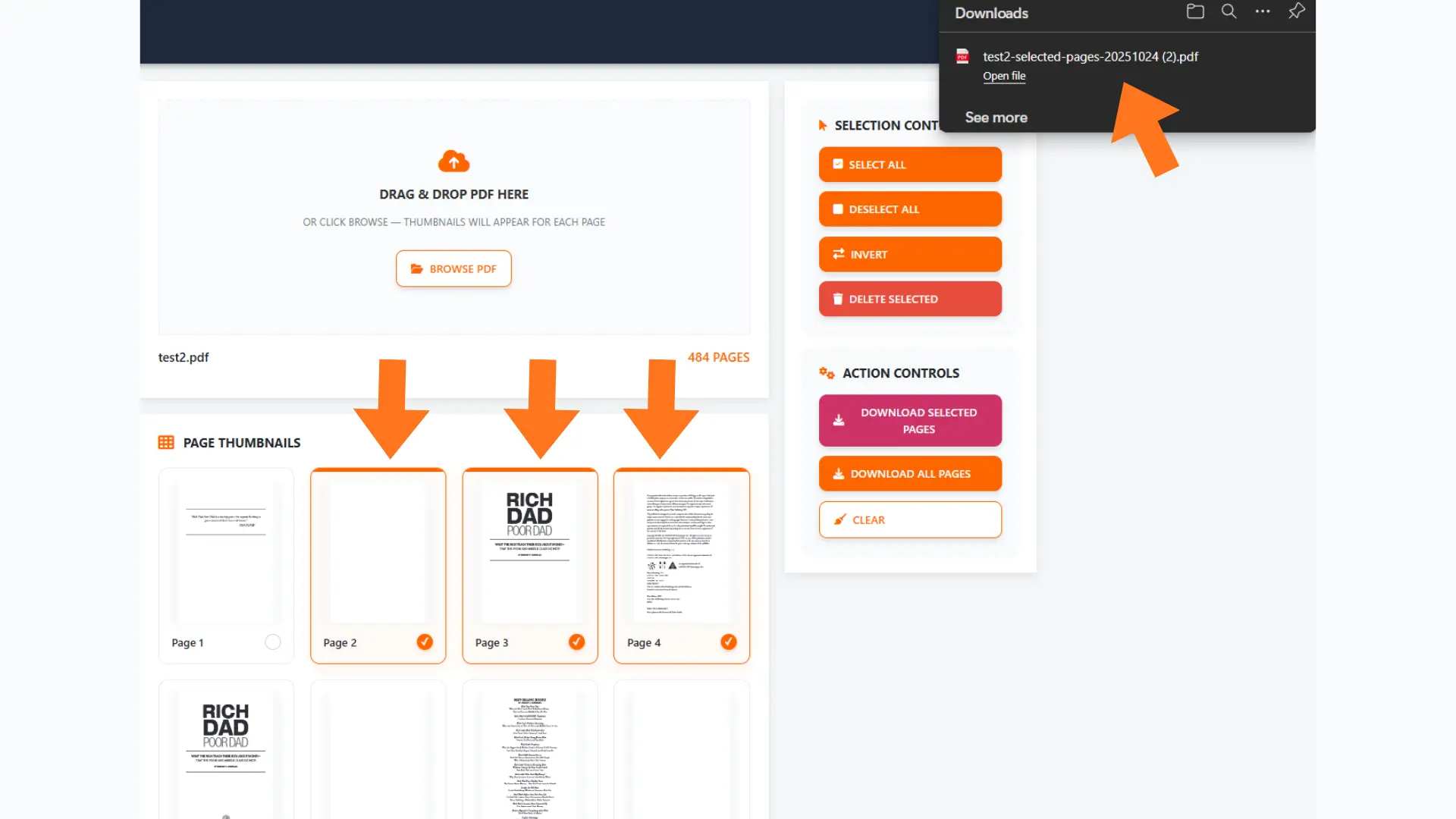
Step 3: Download pages
  • Download Selected — Downloads only the pages you have selected.
  • Download All— Downloads all pages currently in the PDF (after deletions, not the original total).
  • Optional: Click Clear anytime to remove the PDF and start fresh.

🔒 Why Use ClearPDFs?

Privacy Comes First – Everything happens locally in your browser. Your PDFs never leave your computer.
Lightning Fast – No waiting for uploads or server processing. Splitting starts instantly.
Unlimited Use – No sign-ups, no limits, no watermarks.
Mobile-Friendly – Works perfectly on phone, tablet, or desktop.


🧠 Why Split PDFs?

Large or multi-section documents can be hard to manage or share.
Splitting lets you isolate chapters, invoices, or specific pages without touching the original file.
With ClearPDFs, it’s drag-drop simple — done in seconds.


🧾 Need to Split Multiple PDFs?

No problem. Process one file, then repeat with the next — all right in your browser.
Each split is instant and 100% private.

💡 Pro tip: Keep your tab open to maintain privacy — nothing is ever uploaded.


🛠️ Other Free Tools You’ll Love

All tools are browser-based, free, and privacy-first.


Start Splitting PDFs Now

Split your PDFs instantly — no registration, no upload delay, and no limits.
👉 Try ClearPDFs’ Split Tool → [Launch Tool]